

TD: Shifter
Solo Project
3rd person Tower Defense where the player is tasked with controlling the flow of enemies as they attack the base. The game's goal is to connect the 3rd person shooter genre with a traditional top down Tower Defense. Place towers, freeze enemies, shift the course, and much more!
Concept Prototype.
Imported Assets

PROJECT BREAKDOWN:
LEVEL DESIGN

Full Course
The main course for TD: Shifter takes the enemy AI approximately 1 minute to complete. With Player intervention, however, enemy AI can stay running the course for up to 1 minute and 45 sections, giving the Player and their Towers a lot more time to clear the current wave.
The Player will deal with 2 types of moving platforms; automatic and input based. Input based platforms will only move and shepherd the enemy AI on the Player's command. Automatic moving platforms force the Player to keep track and on top of an ever changing course.
Course Beginning


Course Middle
Course End

NOTEABLE PROJECT BREAKDOWN:
MOVING PLATFORMS, WAVES, & TOWERS

Moving Platforms
Course manipulation is the main unique selling point mechanic that is prototyped.
The Player has 4 sets of platforms they can move while in the Isometric Camera. They can only move platforms while in this top-down view.
The Player must be in the Isometric Camera to enable the inputs for moving the platforms. Once the Player strikes an input, an event is called in the Player Blueprint to begin the process of shifting.


Depending on the set they wish to move, a Move Platform event is called. It is here where an eyedropper is enabled (used to connect a moving platform to an input), and all platforms that are in that array are stored. Once it is confirmed that the platforms are in their correct positions, this then calls the Moving Platform BP to do the shifting.
This process is repeated for each Moving Platform Set.
Finally, the platforms move based off a preset timeline. Timeline toggles being played forward and backward, shifting the platforms from their starting position to their ending positions then back to starting.


Wave System
When the Player strikes "Enter," the game checks to see if there is a currently a wave in progress. It checks this by keeping track of remaining enemies. If there is not a wave currently ongoing, it reads a Data Table that has all the waves preset and spawns actors based on the Data Table at the desired location.
Enemy behavior is simple. They run to the base and reset their pathing if the way is blocked. Enabling "dynamic nav mesh" made it possible for the AI to update their pathing.

Data Table for keeping track of waves and what comes out of each wave. The enemy type, enemy spawn order, and enemy quantity is taken from here.

Towers
There are 2 archetypal tower types that the Player can select from: Projectile and Pulse AOE
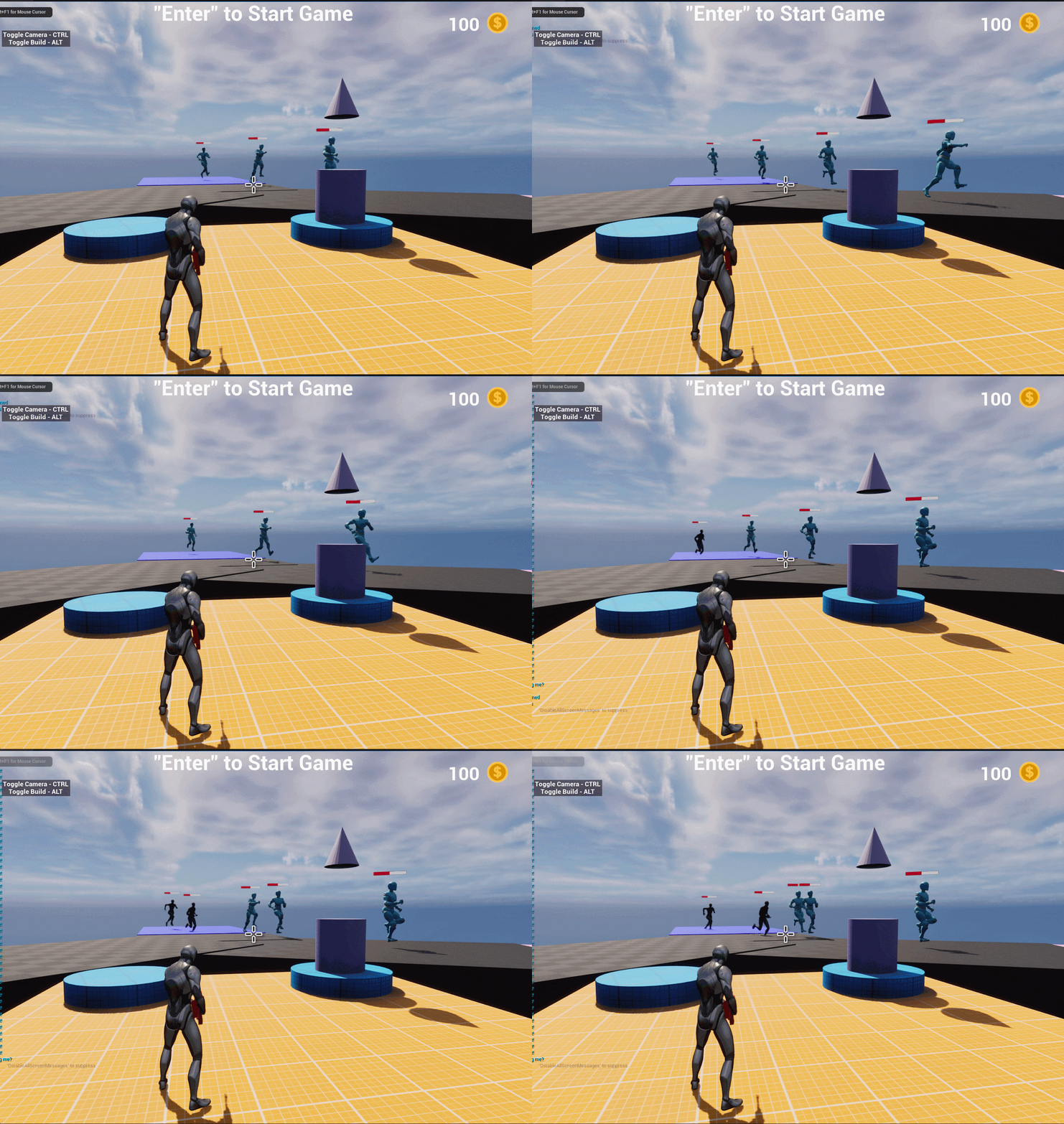
Pulse AOE
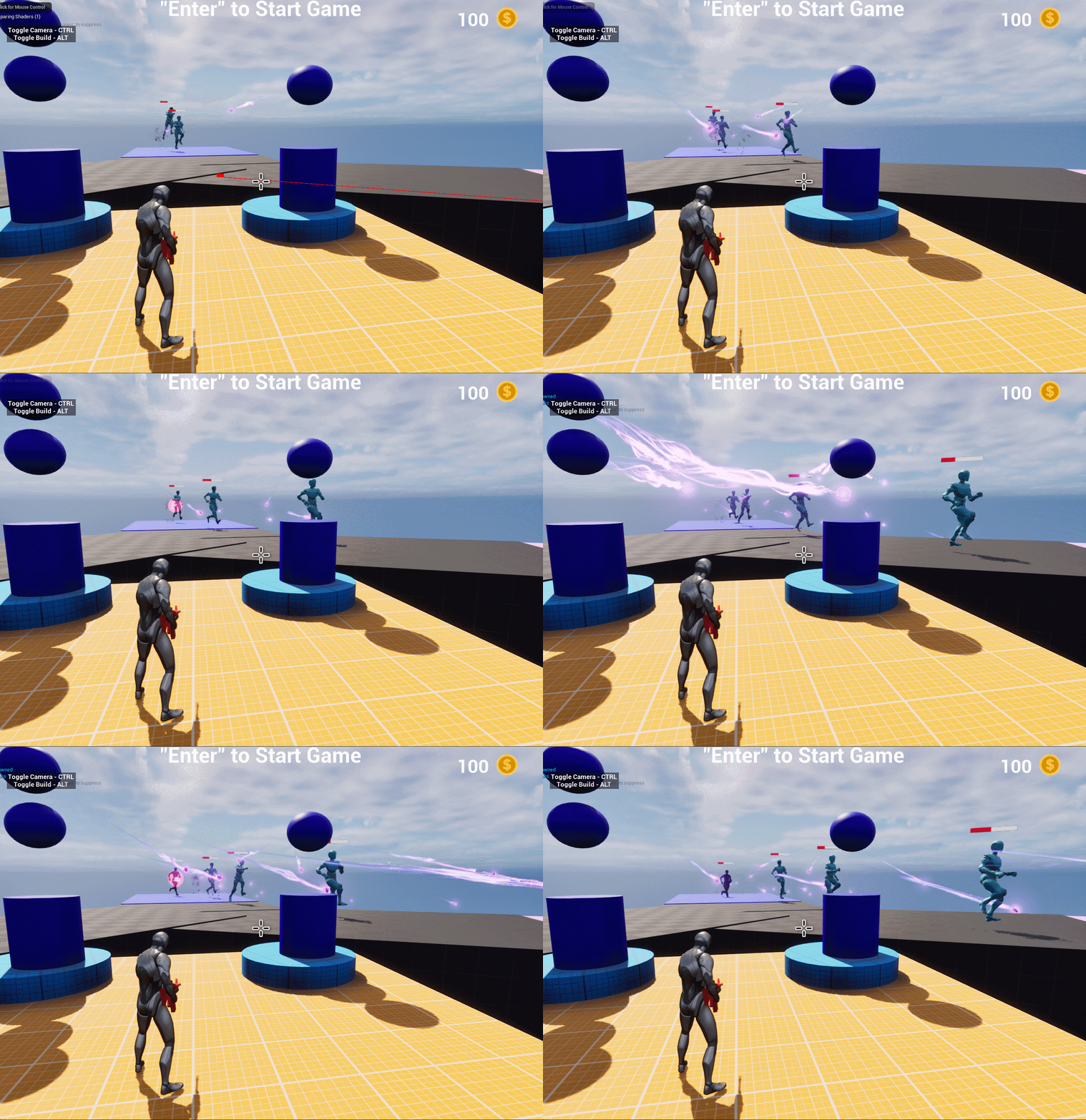
Projectile

To place towers, the Player must be in 3rd Person and enter Build Mode. Once in Build Mode, a "Ghost" Tower is spawned in and the Player must make sure the Tower is placed on a Tower Stand. A line trace is sent from the Player's camera to whatever is in front of the Player. If it does not detect the Tower Stand, the Ghost is Red. If it does detect a Tower Stand, the Ghost is Green. Player can toggle towers with "F" and place them with "Shift" if they have the correct amount of money.


